
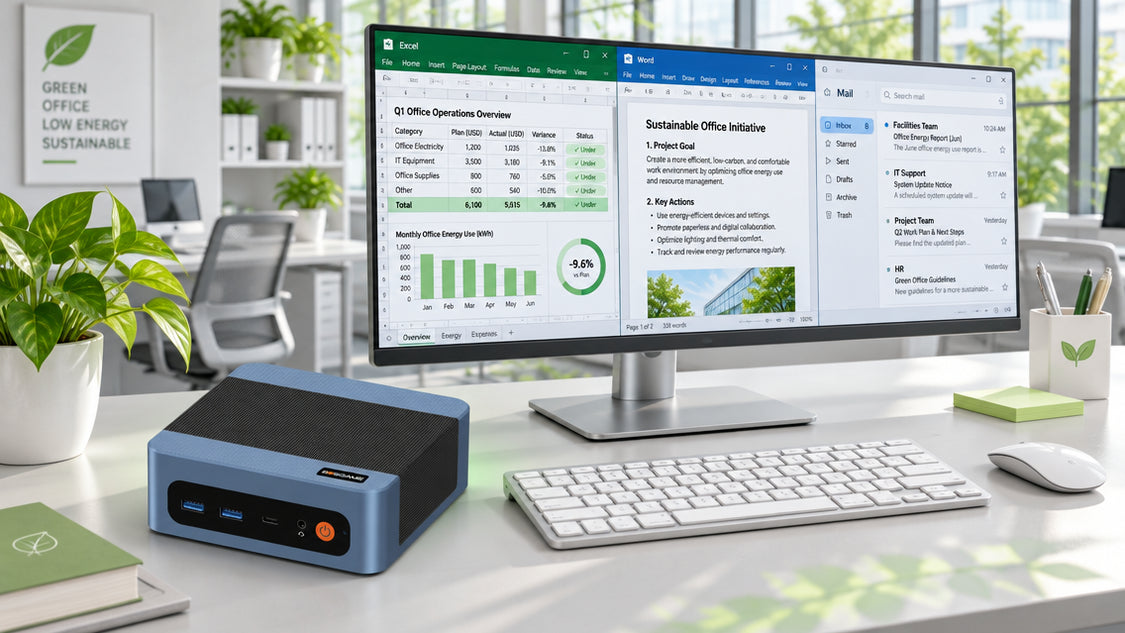
What Should You Look for in an Energy-Efficient Mini PC for Office Work?
A truly energy-efficient mini PC for office work is not defined by low wattage alone. Its real efficiency comes from how hardware, thermal design, and power-management features work together during everyday office tasks. Several key considerations matter.
Processor efficiency
The CPU has a major influence on how much power a mini PC draws. Processors differ in performance and power needs, and some can deliver enough computing power within a lower power range. For routine office workloads, an efficient CPU can complete common tasks without rising to the higher power levels needed for more demanding applications.
Low power use when idle
Office computers often remain switched on for many hours, including periods when no one is actively using them. A mini PC that consumes little power at idle can reduce cumulative electricity use. This matters particularly in offices where several computers operate throughout the working day.
Cooling and power management
A well-designed cooling system supports stable operation while controlling heat and fan noise. Power-management functions can further cut energy use during light workloads or short periods of inactivity. These features deserve attention when selecting an energy-efficient mini PC for office work, especially for a quieter and more economical workplace.
Why choose an energy-efficient mini PC for office work?
An energy-efficient mini PC for office work provides more than compact, adequate performance. Lower power consumption can deliver practical advantages for businesses and home offices, particularly when systems are used for many hours each day.
Reduced electricity costs
Because office computers may run all day, their energy use accumulates over time. A more efficient mini PC draws less electricity during operation, which can help lower ongoing energy expenses. The savings tend to become more visible in offices with multiple systems or computers that stay on for long periods.
Less heat and quieter operation
Lower power consumption usually means less heat is produced, which can reduce cooling requirements. This can also contribute to a more comfortable working environment. An energy-efficient mini PC for office work with a well-designed cooling system can balance thermal performance and fan noise.
Lower environmental impact
As sustainability becomes increasingly important, energy conservation and greener business practices are receiving greater attention. Selecting energy-efficient mini PCs is one practical way for businesses to support this shift. Although one mini PC may have a limited effect, widespread adoption across workplaces can collectively reduce electricity demand, ease pressure on energy resources, and support broader efforts toward a greener and more sustainable future.
How to select an energy-efficient mini PC for office work?
Choosing an energy-efficient mini PC for office work requires more than comparing processor specifications or wattage figures. Daily workload, hardware requirements, and the working environment also need to be considered. The following factors can help balance performance, energy use, and long-term value.
Match performance to office tasks
Begin by identifying the tasks performed most often. Document editing, email, web browsing, spreadsheets, and video calls generally do not need a high-end processor. Entry-level options such as AMD Ryzen 3 or Intel Core 3 processors are usually adequate for everyday office work. This avoids unnecessary hardware costs and excessive power consumption.
Check real-world power consumption
Processor TDP does not reflect a mini PC's actual electricity usage. It is more useful to examine measured power consumption under different conditions, especially at idle and during everyday workloads. If a computer stays on for several hours each day, even small differences in power use can accumulate. This is an important point when comparing energy-efficient mini PCs.
Choose a practical RAM and storage setup
Sufficient RAM helps the system handle multiple office applications and browser tabs smoothly. An SSD also improves boot times and application responsiveness. Consider actual multitasking and storage needs rather than selecting the largest configuration available. A balanced setup can provide a smooth office experience without unnecessary hardware investment.
Recommended energy-efficient mini PCs for office work
BOSGAME's Ecolite series takes its name from “Eco” and “Lite,” reflecting a product philosophy focused on energy efficiency and lightweight design. The series is intended primarily for everyday computing and office use. Two models are worth considering for an energy-efficient mini PC for office work.
BOSGAME E5 Plus
BOSGAME E5 Plus is a practical option for everyday office tasks. It uses an AMD Ryzen 3 5400U processor with 4 cores and 8 threads, handling document editing, web browsing, spreadsheets, and media playback. It includes 8GB DDR4 memory and a 256GB SSD, with memory expandable up to 64GB. Its upgrade options also make it easier to adapt as office needs change.
BOSGAME E7
For users who need more room for multitasking, BOSGAME E7 offers a stronger starting configuration. It features an Intel Core 3 100U processor with 6 cores and 8 threads, a 15W TDP, 16GB DDR4 memory, and a 512GB NVMe SSD. It supports up to three displays, making it well suited to office users who regularly work across multiple applications and screens.
Conclusion
A more energy-efficient office begins with smarter choices, not simply more powerful equipment. Selecting a computer that matches actual workload helps avoid unnecessary energy use while keeping everyday tasks running smoothly. BOSGAME's Ecolite series offers options for different office needs. Explore the range and find an energy-efficient mini PC that fits your workflow and helps you build a smarter workspace.

Leave a comment
All comments are moderated before being published.
This site is protected by hCaptcha and the hCaptcha Privacy Policy and Terms of Service apply.