
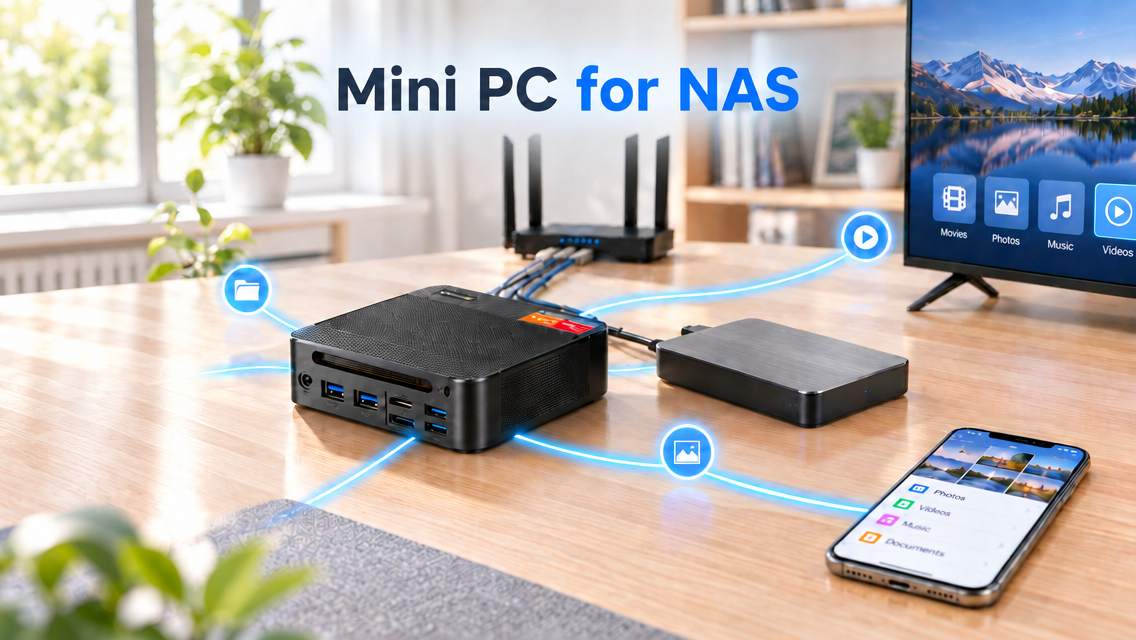
What Is a Mini PC NAS?
A NAS (Network Attached Storage) is a storage system that sits on your network so several devices can reach shared files, back up data, and keep photos, videos, and documents in one location. A mini PC for NAS takes a small computer and uses it as the hardware base of a personal network storage setup. Once you attach compatible drives and install NAS software, the mini PC becomes a central hub for sharing files and managing data, and depending on the hardware and software you choose, it can run extra applications too.
Why Choose a Mini PC for NAS Instead of a Traditional NAS?
A traditional NAS is built for one purpose, which is network storage, whereas a mini PC gives you more room to design a custom storage system. The comparison below covers performance, size, and operating system flexibility.
Mini PC NAS vs. Traditional NAS: Performance
A mini PC for NAS isn’t limited to basic file storage the way storage-focused NAS models often are. Given a capable processor and enough memory, it can also host media servers, Docker containers, and virtual machines. That lets you combine network storage with other home server applications on one device instead of buying separate hardware for each job.
Mini PC NAS vs. Traditional NAS: Size
A mini PC can take up less space than a multi-bay NAS enclosure, so it is easier to place in a tight workspace or a home lab. If you don’t need many internal drive bays, pairing a mini PC for NAS with external storage can give you a slimmer setup. The downside is that holding several internal drives may call for a separate enclosure.
Mini PC NAS vs. Traditional NAS: Operating System Flexibility
Many traditional NAS units ship with a vendor-specific operating system, which can make setup easier but restricts some customization. A mini PC usually lets you choose your own platform, such as TrueNAS or OpenMediaVault, or run a general-purpose operating system. That freedom is particularly useful if you like to experiment with different server applications.
How to Choose a Mini PC for NAS
When shopping for a mini PC for NAS use, a handful of specs deserve more attention than the others. Let’s go through them one by one.
Storage Capacity and Expansion Options
First, see how many M.2 slots the mini PC provides and whether it also supports SATA SSDs or 2.5-inch and 3.5-inch drives. Most compact machines have limited internal space, so an external USB drive enclosure is a common way to add capacity. Some NAS software treats USB-attached drives less reliably than internal ones, so read your chosen system’s documentation beforehand. Size your capacity around your files, photos, videos, and backups, and leave space for future growth.
CPU and RAM Requirements
Basic file sharing, home backups, and media storage place light demands on the processor, so a mini PC for NAS duty seldom needs a top-end CPU. If you also want to transcode video, run Docker containers, or host virtual machines, a stronger CPU and extra memory become worthwhile. When considering TrueNAS or ZFS, check the software’s own memory recommendations and plan around them instead of applying a single minimum to every NAS build.
Network Connectivity and Transfer Speeds
As you compare each mini PC for NAS use, give the network ports the same scrutiny as the storage and processor. Gigabit Ethernet covers many basic home storage needs. A 2.5GbE or faster port can accelerate file transfers, but only when everything else in the chain supports it, including your router or switch, cables, and the device on the receiving end. Dual Ethernet ports can help with certain advanced network configurations, though they aren’t a requirement for building a NAS.
Recommended Mini PCs for NAS from BOSGAME
If you want to choose a mini PC for NAS, these two BOSGAME models are good choices. Here is the basic information about them.
BOSGAME P4 Ultra 7730U
The BOSGAME P4 Ultra runs on an AMD Ryzen 7 7730U processor and offers dual 2.5GbE LAN ports for fast wired networking, provided the rest of your network can keep up. Its 16GB of DDR4 3200MHz memory can be raised to 64GB through two SO-DIMM slots. A 1TB PCIe 3.0 NVMe SSD is included, along with an extra M.2 expansion slot. Together, these features make it a flexible choice for anyone who wants network storage plus other home server tasks on the same machine.
BOSGAME P3 Plus 7840HS
The BOSGAME P3 Plus is built around an AMD Ryzen 7 7840HS processor, paired with 16GB of DDR5 memory and a 1TB PCIe 4.0 NVMe SSD. Memory can be expanded to 64GB, and a spare M.2 slot leaves space for more storage. Dual Gigabit Ethernet ports, Wi-Fi 6E, and Bluetooth 5.2 give it a broad set of connectivity options for a home server. It’s a good candidate if you want a mini PC that can handle NAS duties while also taking on other computing work.
Conclusion
A NAS is more than somewhere to park your files. It’s a choice about where your memories, work, and backups are kept, and who has control over them. Building one on a mini PC keeps that choice with you and lets the system grow as your needs change, from a simple backup box now to a media server or home lab later. So why not try building a NAS with a mini PC?

Leave a comment
All comments are moderated before being published.
This site is protected by hCaptcha and the hCaptcha Privacy Policy and Terms of Service apply.