
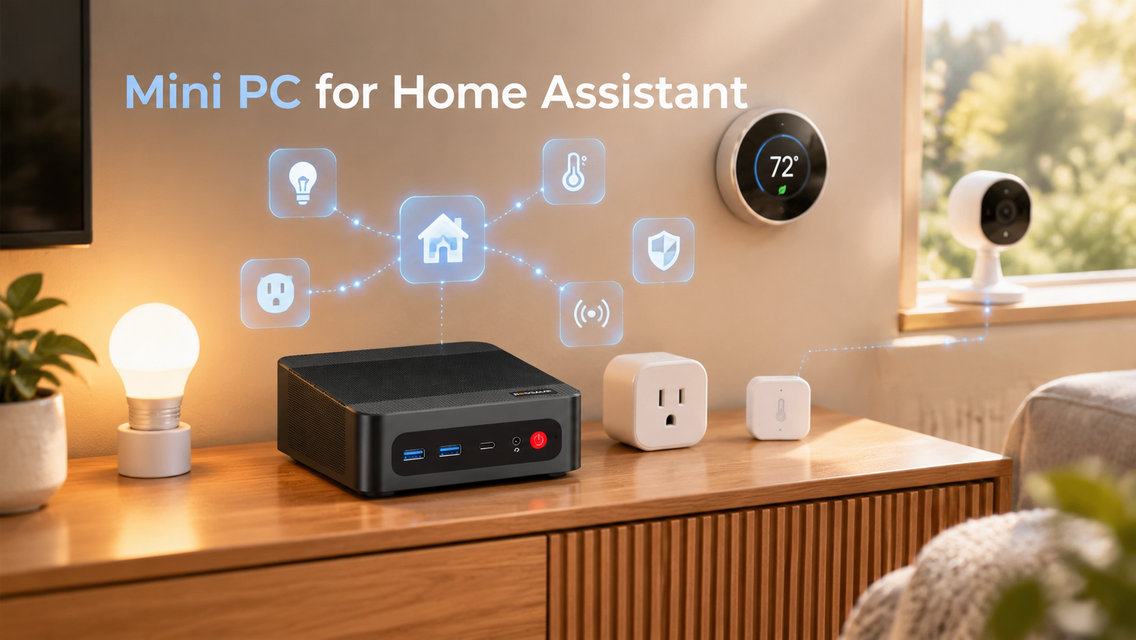
What Is Home Assistant?
Home Assistant is an open-source smart home platform that brings devices from many different brands together in a single interface. From one dashboard, you can manage lights, plugs, thermostats, and more, and then build automations such as switching on the lights when you get home. When both the system and your connected devices support local control, many automations keep running even if your internet goes down.
What Can You Do With a Mini PC for Home Assistant?
A mini PC for Home Assistant can take on a wide range of jobs, from simple automations to camera recording and local voice control. The list below goes from the lightest workloads to the heaviest.
Control and Automate Your Smart Home
Home Assistant gathers your lights, smart plugs, thermostats, and sensors on one dashboard, so you don’t have to juggle a separate app for every brand. Automation is where it really shines: lights that dim when the sun sets, a heater that turns off once a window is opened, or a plug that cuts power when nobody is home. Such tasks demand very little processing power, which means even an entry-level mini PC can manage them.
Add Camera Recording
With compatible cameras, the right integrations, or extra software, you can put together a home security system that saves footage on your own device instead of depending entirely on the cloud. Add-ons like Frigate are also able to recognize people, pets, or vehicles locally. This workload is heavier than basic automation, since the mini PC needs more storage for recordings and a stronger processor, particularly when several cameras are involved.
Try Voice Control and Local AI
The Assist feature in Home Assistant allows you to control devices by voice, and speech recognition can run on your own hardware rather than in the cloud. Keep in mind that processing voice locally may raise CPU and memory demands, depending on the speech recognition and text-to-speech tools you choose. A more powerful mini PC for home assistant can improve responsiveness, especially if it is running other services at the same time.
How to Choose the Right Mini PC for Home Assistant?
The right mini PC for Home Assistant depends on how your smart home is set up, how many devices you connect, and whether you want to host additional services. Review the factors below to make sure your system stays smooth, dependable, and efficient over the long run.
CPU and RAM Requirements
Basic smart home automation doesn’t call for a high-performance processor. An entry-level mini PC can control lights, monitor sensors, and run simple automations without trouble. If you intend to add virtual machines, containers, or other home server applications, though, select a mini PC for Home Assistant with enough CPU power and RAM to handle everything together.
Storage Capacity and Reliability
Storage reliability is another point to weigh when selecting a mini PC for Home Assistant, and it’s wise to back up regularly to safeguard your configuration and important data. An SSD keeps the system responsive and holds your Home Assistant data, such as configuration files, logs, and historical records. Pick a capacity that fits your needs, particularly if you want to retain long-term history or run extra services.
Connectivity and Expansion
A steady network connection lets Home Assistant communicate reliably with your devices and other services. For a mini PC for Home Assistant, look for a Gigabit Ethernet port to get dependable wired connectivity, especially for a system that runs nonstop. USB ports matter as well, since they let you attach compatible Zigbee or Z-Wave adapters. If additional services are in your plans, check whether the mini PC supports extra storage and has enough ports for your peripherals.
FAQ
1. Can You Run Home Assistant on a Mini PC?
Yes. A mini PC is a practical way to run Home Assistant thanks to its small size, dependable performance, and ability to operate around the clock. It handles everyday smart home automation, and depending on its hardware, it can host other services alongside Home Assistant.
2. How Much RAM Do You Need for Home Assistant?
It depends on your setup. A basic Home Assistant installation runs fine on modest memory, whereas systems with virtual machines, containers, databases, or other services can benefit from more RAM. Base your decision on your total workload instead of simply buying the largest capacity available.
3. Does Home Assistant Need to Run 24/7?
For the best smart home experience, Home Assistant should generally stay on continuously. If the mini PC hosting it shuts down, automations and services that rely on it may stop working until the system is restarted.
4. Can Home Assistant Work Without an Internet Connection?
Yes, many Home Assistant features keep working offline when the system and your devices support local communication. That said, remote access, cloud-based integrations, and certain manufacturer-dependent features may become unavailable. How much works offline depends on your devices, integrations, and network configuration.
Conclusion
The best smart homes are the ones you barely notice: lights already on when you walk in, rooms that adjust on their own, and a house that quietly handles its own routines. That calm begins with the machine working behind the scenes. Pick a mini PC for Home Assistant that leaves room to grow, and your home can keep getting smarter without getting in your way. Explore BOSGAME mini PCs to find the one that suits your home.

Leave a comment
All comments are moderated before being published.
This site is protected by hCaptcha and the hCaptcha Privacy Policy and Terms of Service apply.