
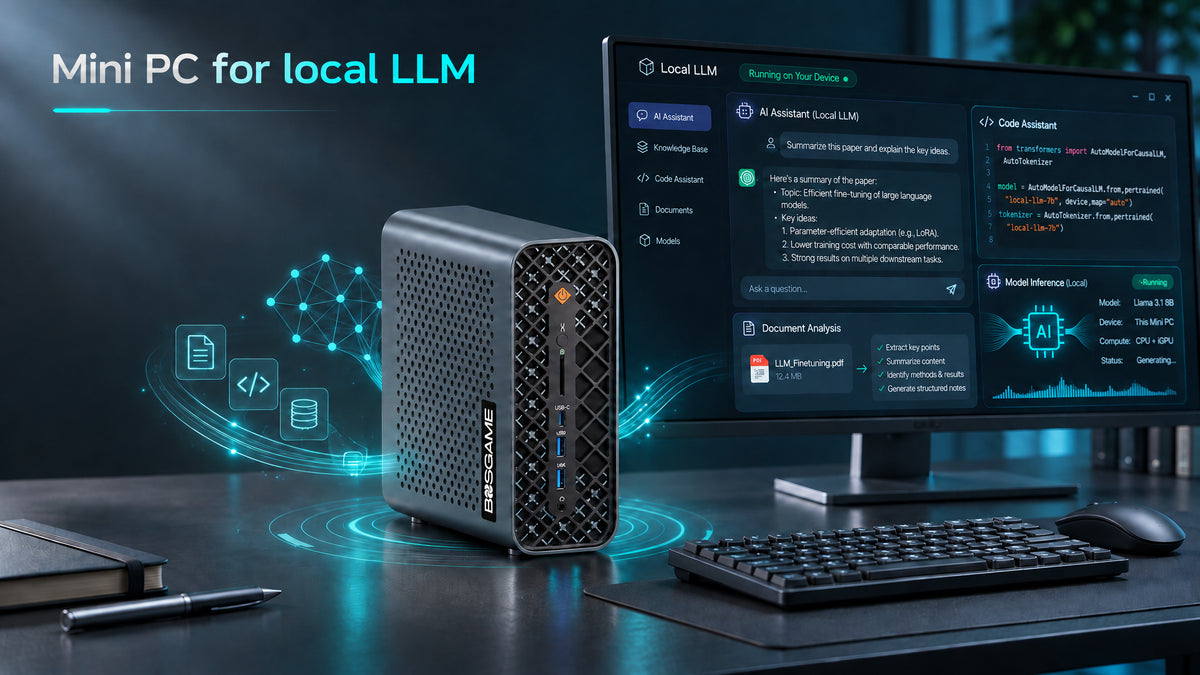
Artificial intelligence is becoming an increasingly important part of daily life and professional workflows. However, not everyone wants to depend on cloud-based AI platforms for every task. A mini PC for local LLM provides an alternative by allowing users to run Large Language Models (LLMs) directly on their own hardware. This approach offers greater control over data processing while making AI tools accessible without a constant connection to remote services. So, what can you accomplish with a local LLM, and how can you set one up? Let's take a closer look.
Why Run a Local LLM on a Mini PC?
Beyond its small footprint, a mini PC offers several practical advantages for running AI models locally. From keeping information under your control to reducing recurring expenses, it can be a convenient foundation for a personal AI environment.
Greater Data Privacy and Independence
When an LLM operates locally, your documents, personal records, and other files can be processed on your own computer rather than being routinely sent to an external AI platform. This gives you more control over how your information is handled and where it stays.
For individuals working with confidential materials or businesses managing internal documents, local AI processing can minimize dependence on third-party services. As a result, a mini PC for local LLM offers a more controlled environment for handling everyday AI requests.
Reduced Ongoing AI Expenses
Many cloud AI platforms operate through monthly subscriptions or pay-per-use API pricing. These charges can gradually increase for people who interact with AI tools on a regular basis.
With a locally installed model, you can generate responses without paying a separate API fee for each request. Of course, the initial cost of the hardware and its electricity consumption should also be considered. Nevertheless, for frequent users, investing in a mini PC for local AI workloads may help reduce recurring service expenses over time.
More Direct and Responsive Interactions
Using a local model eliminates the need to send every prompt to a remote server and wait for the response to travel back across the internet. This can reduce network-related delays and avoid some of the waiting time associated with cloud server traffic.
Because inference takes place directly on your device, you can communicate with the model without depending on a remote API connection. Actual response speed will still depend on your processor, memory, model size, and other hardware factors.
What Can You Do with a Local LLM on a Mini PC?
Once you set up a mini PC for local LLM, you can unlock a wide range of AI capabilities beyond simple conversations. From handling everyday questions and searching personal files to assisting with coding and managing smart home devices, a locally running model can become a versatile tool for both work and daily life. Here are four practical ways to make the most of it.
Create Your Own AI Assistant
A local language model can serve as a personal assistant for a wide range of everyday activities. It can help you draft messages, answer general questions, summarize lengthy content, and organize your thoughts.
Different models are trained or optimized for different purposes. Some work well as general-purpose conversational assistants, while others are better suited to reasoning, writing, or specialized tasks. You can select a model that matches your requirements and build an AI assistant around your preferred workflow.
Search Documents and Organize Personal Information
Local LLMs can also make it easier to work with information stored on your computer. Depending on the software configuration, they can summarize PDF files, identify important details, and answer questions about your documents.
For more advanced applications, you can combine a local model with Retrieval-Augmented Generation (RAG). This technique enables the system to search a collection of documents, retrieve relevant passages, and use that information when generating answers. With appropriate local file access and software support, your mini PC can become a personal knowledge management system.
Support Programming and Software Development
Developers can use locally hosted AI models to assist with different stages of software development. Common applications include writing code snippets, suggesting improvements, explaining unfamiliar functions, and identifying potential programming errors.
You can also install specialized coding models to better suit your development needs. Using a mini PC for local LLM makes it possible to integrate AI assistance into your coding environment while reducing your dependence on external AI services.
Connect AI with Smart Home Automation
Another interesting application is combining a local LLM with a smart home platform such as Home Assistant. This allows users to interact with connected devices through natural-language instructions rather than manually navigating different controls.
Depending on the integration, an AI assistant can interpret commands, check device information, manage automation routines, and control compatible smart home equipment. When the system and connected devices support local control, many of these interactions can take place within your home network, offering greater control over household data.
How to Set Up a Local LLM on a Mini PC
Getting a local AI model running is relatively straightforward once you understand the basic process. You mainly need compatible software, a model that fits your hardware, and a few minutes to complete the initial configuration.
Follow these four steps to get started with your mini PC for local LLM.
Step 1. Install Software for Running Local Models
Before downloading an AI model, you need a program that can manage and execute it. Ollama and LM Studio are two widely used options.
Ollama is primarily operated through command-line commands. It also provides local API access, making it a convenient choice for developers and users who want to connect AI models with other applications.
LM Studio, on the other hand, provides a graphical user interface. Beginners can browse available models, download them, load them, and start conversations without relying heavily on terminal commands.
Keep in mind that Ollama and LM Studio are tools for managing and running models. They are not AI models themselves.
Step 2. Find a Model That Matches Your Needs
After installing your preferred software, the next step is selecting an appropriate language model. Popular model families include Qwen, Llama, and DeepSeek, each offering different capabilities and model sizes.
Your choice should depend on both the tasks you intend to perform and the available system memory.
7B–8B models: Generally require fewer hardware resources and are suitable for basic conversations, text generation, and everyday assistance.
14B models: Offer a middle ground between model capability and memory consumption.
32B and larger models: Usually demand considerably more memory and computing resources, but can provide access to more capable models.
Quantization is another important factor. For example, a 4-bit quantized model uses fewer memory resources than its higher-precision counterpart, making it easier to run on hardware with limited capacity. However, reducing numerical precision can also have a slight impact on output quality.
Step 3. Load the Model and Start Chatting
Once the model has finished downloading, open it through Ollama or LM Studio and allow the software to load the necessary files into memory.
When the model is ready, access its chat interface and enter a prompt. It will then generate an answer using the computing resources available on your mini PC.
You can experiment with different questions, adjust your prompts, and explore the model's capabilities. At this point, your local AI environment is ready to use without sending every request to a cloud-based AI service.
Step 4. Evaluate Its Performance
After getting your model running, spend some time checking how it performs under different workloads.
Several factors are worth monitoring, including response speed, memory consumption, and system stability during longer sessions.
One commonly used performance indicator is tokens per second (tokens/s), which represents the number of text tokens a model generates each second. Generally, a higher value indicates faster text generation. However, the actual result varies with model architecture, quantization, hardware configuration, and prompt complexity.
BOSGAME M5 MAX: A High-Performance Mini PC for Local LLM
For users who want to explore more demanding AI applications, the BOSGAME M5 MAX provides a powerful hardware platform. It is equipped with an AMD Ryzen™ AI Max+ PRO 495 processor featuring 16 cores and 32 threads, alongside Radeon 8065S Graphics.
The system comes with 192GB of onboard unified memory and a 2TB PCIe 4.0 SSD, providing substantial memory capacity and storage for resource-intensive local AI workloads. Its connectivity options include dual 10GbE LAN ports, USB4, and OCuLink expansion.
Whether you are experimenting with larger language models, developing AI applications, or building a local model deployment environment, the BOSGAME M5 MAX offers the computing resources and expansion flexibility needed to explore more advanced AI possibilities.
Conclusion
AI is evolving beyond a service accessed through a browser or cloud platform. As local models become increasingly accessible, users have more opportunities to shape their own AI environments, decide how their data is handled, and explore new ways to integrate AI into everyday life and work. A capable mini PC for local LLM is more than just a device for running models; it can become the foundation for a more independent and adaptable AI experience. Whether you are taking your first steps into local AI or preparing for more advanced workloads, choosing hardware with room to grow can make that journey much easier.


Leave a comment
All comments are moderated before being published.
This site is protected by hCaptcha and the hCaptcha Privacy Policy and Terms of Service apply.