
That old benchmark of “powerful enough” doesn’t define Mini PCs anymore. Modern Mini PCs have narrowed the CPU performance gap considerably for many mainstream workloads. The better question isn’t how powerful a Mini PC looks on paper. It’s whether it fits the way you actually use your computer every day.
Here’s the short version. If your demanding work happens in short bursts, like exporting a batch of photos, compiling a project, or an evening of casual gaming, a modern Mini PC can usually handle it well. If your demanding work is intense and lasts for hours, like long renders, sustained 3D work, or training large AI models, the physical advantages of a tower still matter. The rest of this guide walks through how to tell which one describes you.
The Real Question Isn’t Mini PC vs. Tower. It’s Your Workload.
A few years ago, this comparison was simple. Towers were powerful, Mini PCs were convenient, and most buyers picked based on which trade-off they could live with.
That’s changed, at least on the CPU side. Modern Mini PC processors, including the AMD Ryzen AI and Intel Core Ultra families, can now deliver solid sustained CPU performance for many everyday and moderately demanding tasks, though how well any specific model holds up still depends on its power limits and cooling design. GPU performance is a different story. Integrated graphics have improved, but they still trail dedicated desktop GPUs by a wide margin. The old framing of weak-but-small versus strong-but-bulky no longer holds up cleanly on the CPU side, even though it still applies on the GPU side.
What really separates the two isn’t the spec sheet. It’s how each one behaves over time. A Mini PC and a desktop tower can post similar numbers in a short benchmark run and behave quite differently once the load continues for an extended stretch. That distinction matters more than size or price. It’s the key factor to understand before choosing between the two.
Burst Workloads vs. Sustained Workloads
This is the framework the rest of this guide builds on, so it’s worth being precise about it.
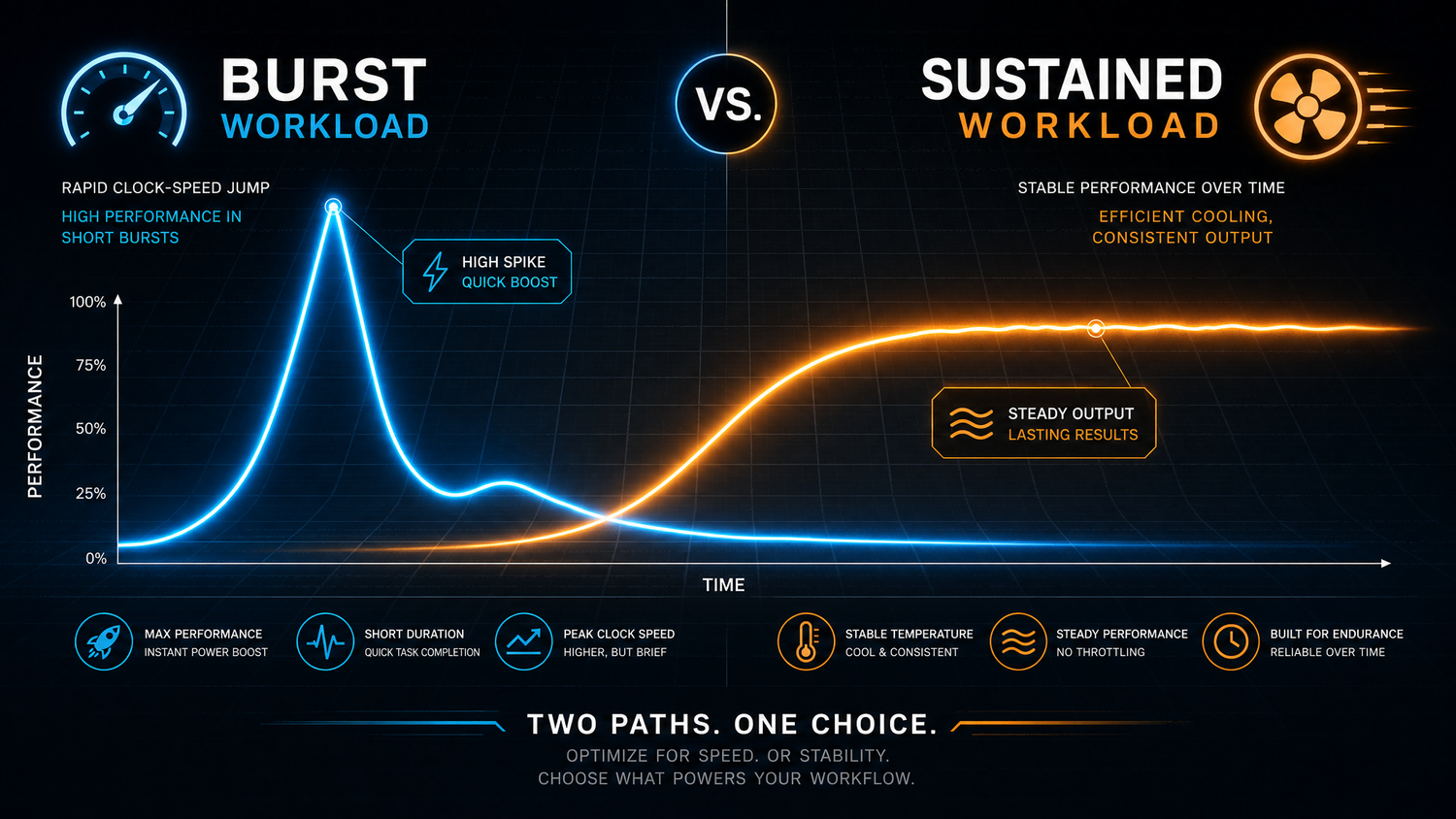
Burst Workloads
Burst workloads are short, intense spikes of activity followed by idle or light use. The system ramps up, finishes the task, and cools back down before heat becomes a problem. Examples include:
- Exporting a batch of photos
- Compiling a small-to-medium codebase
- Loading a game level or launching an application
- A quick AI-assisted query or short inference request
- Office work and video calls
Web browsing fits here too, though not in the same way as the tasks above. Most of the time, a browser sits idle. It’s the moments of page rendering, script execution, or video decoding that create short, intermittent bursts on top of that idle baseline.
Sustained Workloads
Sustained workloads keep the CPU or GPU pinned near full utilization for extended periods, anywhere from several minutes to hours. This is where heat has time to accumulate and where cooling design starts to matter more than raw specs. Examples include:
- Long video exports or batch rendering
- 3D rendering and complex simulations
- Extended AAA gaming sessions at high graphics settings
- Local AI model training, or CPU-based inference that runs continuously over time
Not every game belongs in this category. Competitive titles like Valorant or CS2 are comparatively light on the CPU and GPU. It’s sustained, graphically demanding titles at high settings that push systems into genuinely sustained territory.
Why This Distinction Matters
Thermal throttling is a silicon protection mechanism. It reduces CPU or GPU clock speeds once operating temperatures approach a defined threshold. It usually doesn’t mean the hardware is failing. It typically means the cooling system can’t remove heat fast enough to sustain peak clocks under continuous load.
Short bursts can still hit peak spec even on a system that would struggle under sustained load, simply because there isn’t enough time for heat to build up before the task finishes. That’s exactly why two systems can look identical in a quick benchmark and feel completely different in daily use. The benchmark captured a burst. Your actual workload might be sustained.
Where a Mini PC Makes More Sense
Space and Placement
A Mini PC can sit behind a monitor, tuck under a TV, or disappear on a shelf. For home offices, living rooms, or any desk where real estate matters, this is a genuine advantage that doesn’t show up on a spec sheet.
Noise and Power Draw
Smaller components and lower-power processors generally mean quieter operation and lower electricity use, especially for systems that stay on most of the day handling light, intermittent tasks.
Burst Performance
This is where the underpowered reputation falls apart. A modern low-TDP chip might draw just a few watts at idle and jump significantly higher during short bursts, the same way Intel Turbo Boost or AMD Precision Boost are designed to work. For the kind of work most people do most of the time, opening apps, browsing, quick edits, and short AI queries, that burst capability is usually enough.
The honest limitation: none of this changes what happens once a workload runs long enough to push the system into sustained territory. That’s where the next section picks up.
Where a Tower PC Still Makes More Sense
This isn’t a section to soften. A desktop tower has structural advantages that few Mini PCs, regardless of how new or well-reviewed, can fully match.
Sustained Performance Under Continuous Load
A tower’s larger case allows for bigger heatsinks, more airflow, and in many cases liquid cooling. All of this helps delay throttling and reduces the likelihood of hitting it in the first place, compared to the compact systems that run into it sooner. Sustained workloads in high-ambient conditions can cause meaningful performance degradation when cooling falls short, and towers simply have more physical room to avoid that ceiling.
Multi-GPU and PCIe Expansion
Towers can house full-size discrete GPUs, multiple drives, and add-in cards through standard PCIe slots. None of this fits inside a Mini PC’s chassis by design.
Long-Duration Rendering and Simulation
Sustained, variable workloads generate steady heat that has to be dissipated continuously. A system’s thermal design determines whether clock speed stays stable or drops over the course of an hours-long render or simulation run.
Large-Scale Local AI Work
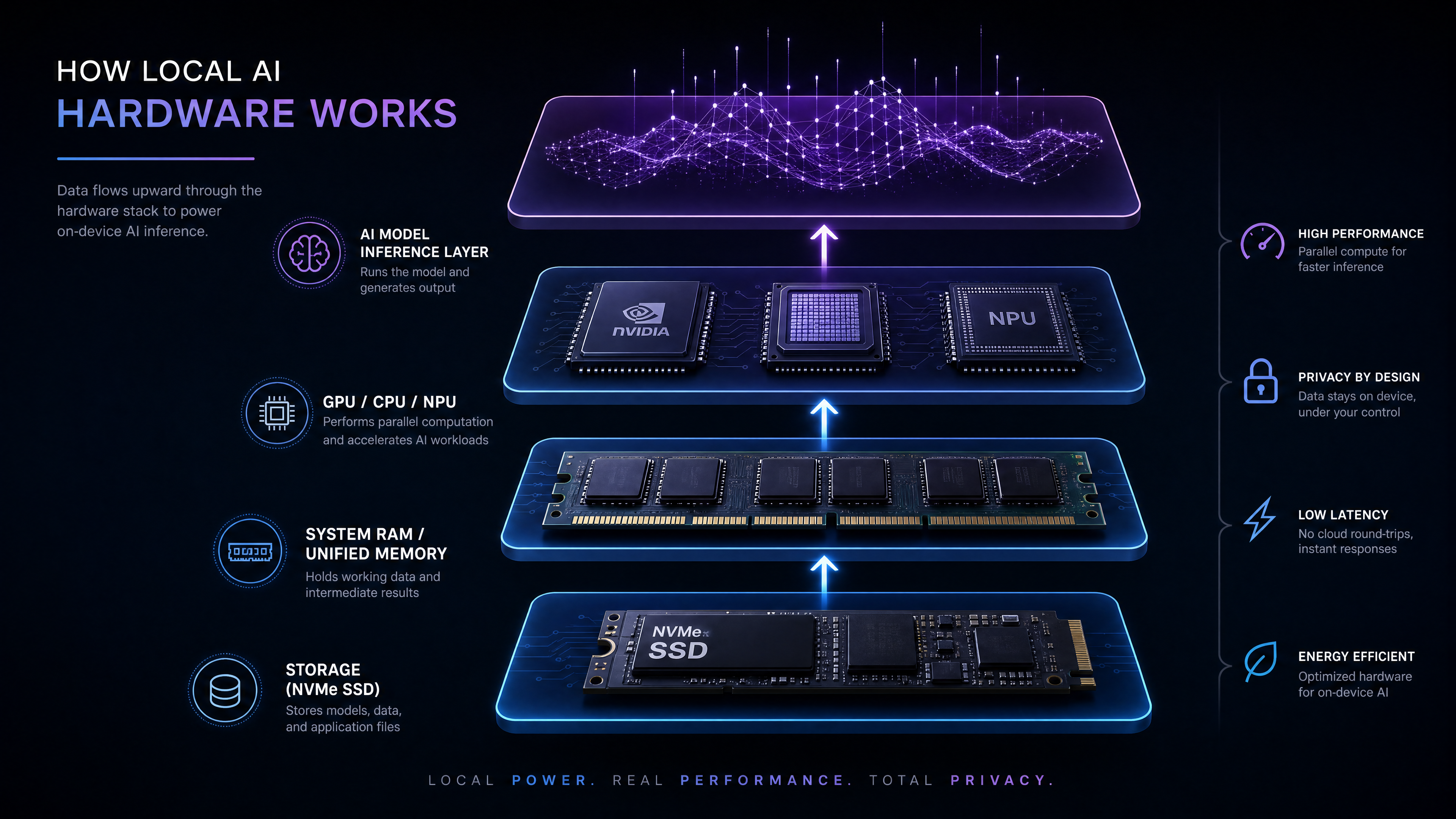
Mini PCs are thermally constrained by design. CPU-based local LLM inference, in particular, often creates sustained multi-core workloads that push fans to audible levels on many compact systems and may eventually trigger throttling during prolonged all-core work. GPU-based and NPU-based inference behave differently and put far less sustained load on the CPU itself, but they introduce their own ceiling: most Mini PCs lack PCIe x16 slots, which means there’s usually no path to add a full discrete GPU later. For training or fine-tuning workloads specifically, this remains a significant limitation.
If your daily work lives in this category, a tower is likely the better choice.
The OCuLink Middle Ground Most Comparisons Ignore
People say eGPUs aren’t worth it. They’re right, but only for some buyers.
If your work depends on high-end GPU performance every day, buying a desktop tower is the simpler solution. Routing that kind of sustained demand through an external connection just adds a step you didn’t need.
But if heavy GPU workloads only show up occasionally, a weekend of gaming, an AI model you want to try out, a one-off rendering job, or buying an entire tower just for those moments isn’t the most practical choice either. This is where OCuLink becomes interesting.
OCuLink is a direct PCIe extension, so it generally behaves closer to an internal GPU connection than alternatives like Thunderbolt. In real-world testing, the same GPU showed a significant bandwidth improvement moving from Thunderbolt 4 to OCuLink, and some benchmarked titles have shown substantial frame rate gains as a result, though the size of the improvement varies a lot by game. For local AI work specifically, the gap is often smaller than gaming benchmarks suggest. Once a model has already been loaded into memory, link bandwidth has little effect on token generation speed, though OCuLink still tends to load models noticeably faster to begin with.
The practical result: a Mini PC with OCuLink support stays compact and efficient for most of the time you’re doing burst work, while still giving you a real path to discrete GPU performance for the times you need it.
→ Read our detailed guide on OCuLink eGPUs for Mini PCs
How to Decide — Three Questions to Ask Yourself
-
Do your demanding tasks happen every day, or only occasionally?
Daily, multi-hour sustained load points toward a tower. Occasional spikes point toward a Mini PC. -
Do you need maximum GPU performance all the time, or just sometimes?
Constant need favors a dedicated tower build. Occasional need is exactly what an OCuLink-equipped Mini PC is designed to cover. -
How much do you value desk space, noise, and power efficiency in daily use?
If these matter more to you than squeezing out maximum sustained performance, that tips the decision toward a Mini PC.
If you answered “occasionally” or “daily life matters more” to most of these, a Mini PC probably fits you better than you’d expect. If your answers lean toward “every day” and “yes, constantly,” a tower remains the more honest choice.
Examples from the BOSGAME Lineup
For readers who want an OCuLink-ready Mini PC, the BOSGAME VTA-439 is one example that includes native OCuLink support. It offers a direct path to discrete GPU performance when needed, without committing to a full tower setup.
The BOSGAME VTI-490 follows a similar direction, providing another OCuLink-enabled option for users who want external GPU flexibility in a compact form factor.
If your work involves sustained local AI inference rather than occasional acceleration, a higher-end system such as the BOSGAME M5, built around a larger unified memory pool, may be a more suitable starting point.
These aren’t the only systems that fit these patterns, but they illustrate what to look for: OCuLink support if your GPU needs are occasional and a larger memory pool if your AI workloads are sustained.
FAQs
Q1: Can a Mini PC replace a tower desktop?
Yes, for the right workload. If your daily work is mostly browsing, office apps, meetings, media playback, or other burst-style tasks, a Mini PC can feel completely adequate. But if you regularly run heavy workloads for long periods, a tower desktop is still the safer choice because it has more cooling headroom and more room for expansion.
Q2: Is OCuLink worth it for most buyers?
Not for everyone, but it is very useful for the right buyer. OCuLink makes the most sense if you want a compact system for daily use and only occasionally need external GPU power. If you already know you need full-time high-end GPU performance, a tower desktop is usually the simpler and better-value option.
Q3: What kind of workload is a Mini PC bad at?
Mini PCs are weakest when they have to stay under sustained load for a long time. That includes long video exports, 3D rendering, heavy gaming sessions, and continuous local AI or creative workloads that keep the CPU and GPU busy for extended periods. In those cases, a larger desktop usually performs better because it can cool components more effectively and maintain performance longer.
Q4: Does switching to a Mini PC actually save money?
It depends on what you're comparing. Mini PCs typically cost less to run day to day thanks to lower power draw, but if your workload eventually needs sustained GPU performance, you may end up paying for both a Mini PC and an OCuLink GPU setup, which can cost more in total than buying the right tower from the start.
Final Takeaway
A Mini PC isn’t automatically the right choice, or the wrong one.
If your most demanding work happens in short bursts, today’s Mini PCs can make far more sense than many buyers expect. If your workload stays heavy for hours every day, the physical advantages of a tower still matter, and no amount of modern silicon changes that.
The best computer isn’t the most powerful one. It’s the one that matches how you actually work.

Leave a comment
All comments are moderated before being published.
This site is protected by hCaptcha and the hCaptcha Privacy Policy and Terms of Service apply.