
Buying a Mini PC should be simple. Open two product pages, compare the specifications, and pick the one with the bigger numbers.
In reality, it rarely works that way.
One system advertises a processor that boosts to 5 GHz, while another lists the same CPU model with nearly identical specifications. On paper, they look almost identical. Yet once you start editing videos, compiling code, or running AI models, one machine stays responsive while the other gradually slows down.
The reason is that a specification sheet only tells part of the story.
Independent benchmark testing from hardware reviewers such as Igor's Lab has repeatedly shown that systems built around the same processor can deliver noticeably different real-world performance. The biggest factors are often cooling capacity, power limits, memory configuration, and how well the entire system is balanced—not simply the CPU model printed on the box.
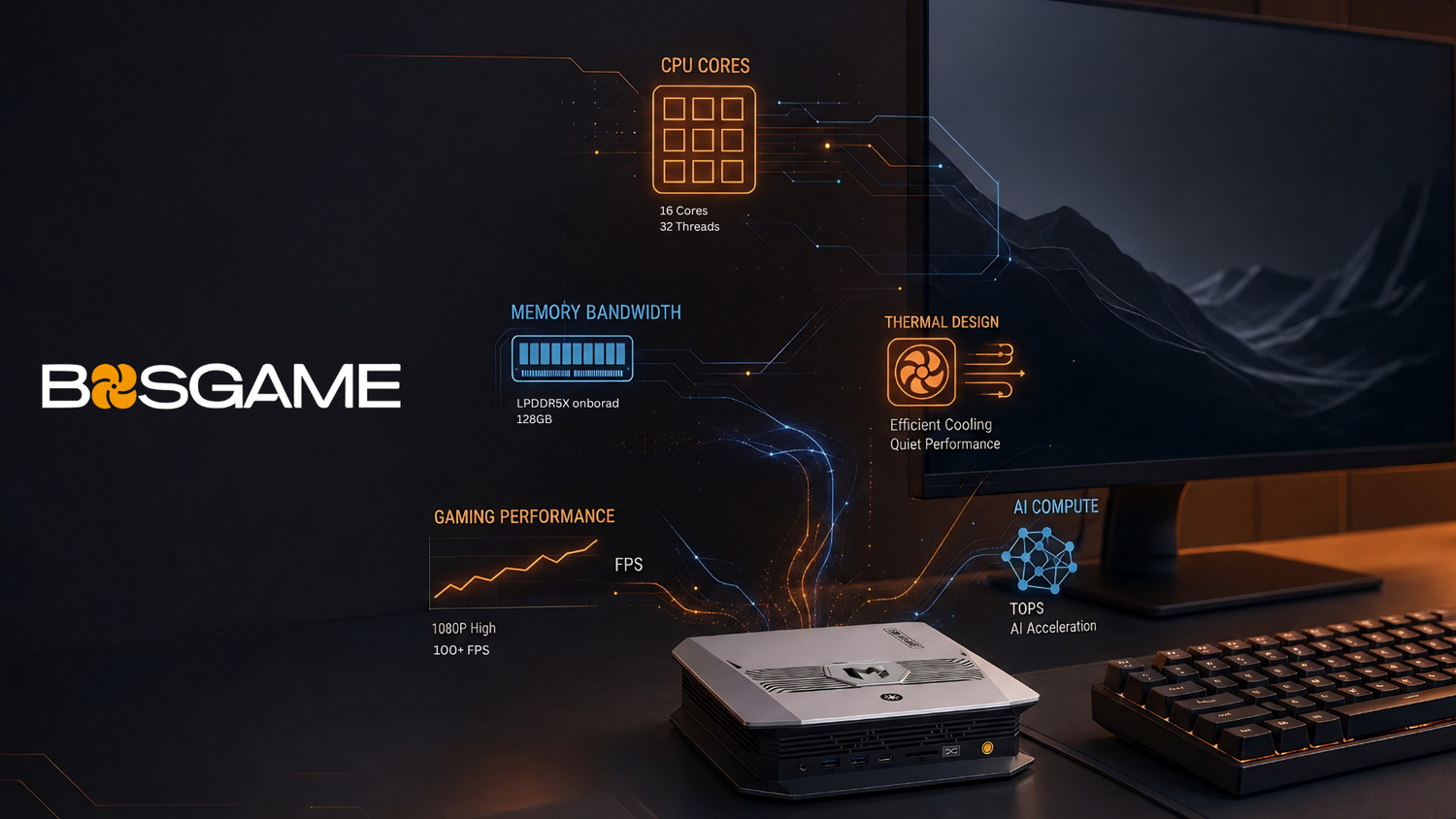
That's why Mini PC performance isn't determined by any single specification. It's the result of how CPU power limits, memory bandwidth, thermal design, graphics architecture, and your workload all interact.
In this guide, we'll break down the five variables that matter most, explain why they affect real-world performance, and show how to choose the right Mini PC based on what you actually do, not just what the spec sheet says.
The CPU: Burst Speed vs. Sustained Speed
The processor is usually the first specification people compare, but it's also one of the easiest to misunderstand.
A product page might proudly advertise a processor capable of boosting to 5.1 GHz, which certainly sounds impressive. The catch is that this number represents a peak boost frequency, not the speed you'll see all day.
Modern processors constantly adjust their clock speeds based on workload, temperature, and available power. During light tasks—opening applications, launching a browser, or exporting a small file—the CPU can briefly boost to its highest frequency for excellent responsiveness. Once a heavier workload continues for several minutes, however, maintaining those peak clocks becomes much more difficult.
That's where sustained performance becomes the metric that actually matters.
If you're editing 4K video, rendering a 3D scene, compiling a large software project, or running long AI inference jobs, the processor may spend tens of minutes under full load. At that point, its sustained operating frequency—not its advertised boost clock—determines how quickly the work finishes.
Power limits play an equally important role.
Many modern processors can operate across a wide range of configurable TDP (Thermal Design Power) settings. The same chip may run with a conservative power budget in one Mini PC and a much higher limit in another. Higher power limits generally allow the processor to maintain stronger all-core performance for longer periods, provided the cooling system can dissipate the additional heat.
This is also why desktop PCs often outperform similarly priced Mini PCs during long rendering or simulation workloads. Larger cases can accommodate bigger coolers, more airflow, and higher sustained power budgets. For everyday productivity tasks such as web browsing, office work, and video conferencing, however, the difference is often negligible because these workloads rarely keep every CPU core busy for extended periods.
As you compare today's Mini PC platforms, it's helpful to think of them in broad categories rather than focusing on clock speeds alone:
- Intel Core Ultra X7 358H emphasizes efficiency, responsiveness, and modern AI features for everyday productivity.
- AMD Ryzen AI 9 HX 470 targets users who need stronger sustained CPU performance for creative work and multitasking.
- AMD Ryzen AI Max+ 395 combines flagship CPU performance with an exceptionally high-bandwidth unified memory architecture designed for demanding graphics and local AI workloads.
Understanding processor names is only the first step. Knowing how to interpret benchmark results and power configurations is just as important—a topic we'll cover in a dedicated guide on reading Mini PC specifications and benchmarks.
Memory: The Variable That Surprises Almost Everyone
Ask someone how much memory a computer needs, and the answer is usually a number.
"16 GB."
"32 GB."
"64 GB."
Capacity certainly matters—but it's only half the story.
For many Mini PCs, memory bandwidth has just as much influence on real-world performance as memory capacity, especially if you're relying on integrated graphics or running AI workloads.
Capacity and Bandwidth Solve Different Problems
Memory capacity determines how much data your system can keep readily available.
If you have dozens of browser tabs open alongside Photoshop, Premiere Pro, and several background applications, insufficient memory capacity forces the operating system to swap data to storage. Even with a fast SSD, that process is significantly slower than accessing RAM, which is why the system begins to feel sluggish.
Memory bandwidth answers a different question:
How quickly can the processor access that data?
Think of RAM as a highway.
Capacity determines how many vehicles can be on the road.
Bandwidth determines how many lanes the highway has.
A highway with plenty of parking but only one lane still creates traffic. Likewise, a computer with lots of RAM can still be held back if the processor and integrated graphics don't have enough bandwidth to move data efficiently.
This distinction becomes especially important in Mini PCs because the CPU and integrated GPU often share the same memory pool.
Single-Channel vs. Dual-Channel: One of the Easiest Mistakes to Make
A surprising number of users upgrade memory by installing a single larger module.
While that increases capacity, it may also leave the system operating in single-channel mode.
For CPU-heavy office tasks, the difference may be relatively small. Once graphics-intensive workloads enter the picture—gaming, video editing, photo processing, or AI inference—the impact becomes much more noticeable.
Depending on the application, integrated GPU performance can drop by roughly 30% to 50% when running in single-channel memory compared with an equivalent dual-channel configuration.
That's why dual-channel memory is generally considered the baseline for modern Mini PCs intended for anything beyond basic office work.
Take the BOSGAME VTA-439 as an example. It uses two DDR5 SO-DIMM slots, allowing users to install memory in a dual-channel configuration. Installing only one memory module still provides usable capacity, but it leaves a significant amount of potential graphics and memory bandwidth unused. Populating both slots unlocks the performance the platform was designed to deliver.
Different Memory Technologies, Different Strengths
Not all memory platforms are built with the same priorities.
Systems based on LPDDR5X, such as the Ryzen AI Max+ 395 platform, offer exceptionally high memory bandwidth through soldered memory that is optimized at the factory. The trade-off is that the memory isn't user-upgradable later.
Platforms using DDR5 SO-DIMM prioritize flexibility instead. Users can replace or expand memory as their needs grow, making them an excellent choice for creators and professionals who expect larger projects over time.
For perspective, high-end desktop DDR5 systems with fast dual-channel memory can exceed 100 GB/s of theoretical bandwidth under ideal configurations. Mini PCs naturally operate under different physical constraints, but the comparison highlights why memory architecture matters just as much as memory size.
For graphics-heavy workloads and local AI inference, high-bandwidth memory platforms often deliver a measurable advantage. For users who value long-term upgradeability, standard DDR5 memory remains an excellent option.
If you'd like to dive deeper into memory technologies, we'll explore the differences between DDR5 and LPDDR5X, memory bandwidth, and dual-channel configurations in dedicated articles throughout this series.
Integrated Graphics and Shared Memory
When people think about graphics performance, they often focus on the GPU itself.
For most Mini PCs, however, the bigger question is how that GPU accesses memory.
Unlike a desktop graphics card with dedicated VRAM, integrated graphics (often shortened to iGPU) don't have their own memory chips. Instead, they reserve a portion of the system's RAM to use as graphics memory through what's commonly called a shared memory or UMA (Unified Memory Architecture) design.
That approach has obvious advantages. It saves space, reduces power consumption, and allows Mini PCs to remain compact without sacrificing everyday graphics capabilities.
The trade-off is that the CPU and GPU are now sharing the same memory pool.
This is why memory bandwidth, discussed in the previous section, suddenly becomes much more important. Even if an integrated GPU has plenty of compute power, it can only process data as quickly as the memory subsystem can deliver it.
A simple analogy helps illustrate the point.
Imagine the CPU and GPU as two busy distribution centers sharing the same highway. Memory bandwidth determines how many lanes that highway has. Even if both centers can process thousands of packages every minute, traffic slows everything down if there aren't enough lanes connecting them.
That's one reason two Mini PCs with similarly capable integrated graphics can produce noticeably different gaming or creative performance.
Today's mainstream Mini PC platforms generally fall into three categories:
- Intel Arc B390 focuses on smooth everyday graphics acceleration, media playback, AI-assisted features, and light creative workloads.
- AMD Radeon 890M (RDNA 3.5), found in systems like the VTA-439, delivers a substantial step up for 1080p gaming, photo editing, and content creation.
- AMD Radeon 8060S, integrated into the Ryzen AI Max+ 395 platform, represents one of the most capable integrated GPUs currently available. According to AMD's published testing under specific benchmark conditions and power configurations, it can outperform previous-generation laptop discrete GPUs such as the GeForce RTX 4070 in selected graphics workloads (with performance gains that vary by application, power settings, memory configuration, and software optimization).
The takeaway isn't that integrated graphics are a compromise.
It's that choosing the right Mini PC means matching the graphics architecture—and the memory platform behind it—to the work you actually plan to do.
If you're curious about how shared memory works or why Windows sometimes reports "missing" VRAM, we've covered those topics in our guides to VRAM and shared memory in Mini PCs.
Thermal Design: The Hidden Ceiling
Two Mini PCs can use the exact same processor and still perform very differently after twenty minutes of sustained work.
The reason is heat.
Every modern processor is designed to operate within safe temperature limits. As temperatures approach those limits, the system automatically reduces clock speeds and power consumption to protect the hardware. This behavior is known as thermal throttling.
Thermal throttling isn't a defect. It's a normal safeguard built into modern CPUs.
The important question is how soon it happens and how often it occurs.
A system with an efficient cooling solution can keep the processor operating near its intended performance level for much longer. A system with limited cooling capacity may reach its thermal limit more quickly, forcing the CPU to reduce performance even though the workload hasn't changed.
Dust can also become part of the equation. Over time, accumulated dust restricts airflow through heatsinks and fans, reducing cooling efficiency. How much this affects performance depends on the environment and how regularly the system is cleaned, but it's another reminder that long-term performance isn't determined by specifications alone.
Not All Cooling Systems Are Built the Same
Mini PCs use a wide variety of cooling designs, each suited to different performance targets.
Passive cooling or very compact single-fan systems are excellent for low-power office machines. They're quiet, efficient, and perfectly capable of handling web browsing, office applications, and media playback. Under prolonged heavy workloads, however, they have less thermal headroom before throttling begins.
Many mid-range and high-performance Mini PCs use dual-fan designs or vapor chamber-assisted cooling to improve heat transfer. These solutions strike a balance between size, noise, and sustained performance, making them well suited for creative workloads and moderate gaming.
Flagship systems often go even further with larger vapor chambers, multiple heat pipes, and increased internal airflow. While they occupy slightly more physical space, they can maintain higher power levels for longer periods, giving demanding workloads more room to perform consistently.
Look Beyond Peak Benchmark Scores
When comparing Mini PCs, it's easy to focus on the highest benchmark number.
That can be misleading.
A better indicator of cooling performance is how well a system performs over time.
For example, many reviewers run Cinebench or similar CPU benchmarks repeatedly for ten minutes or longer. If one system maintains nearly the same score throughout the test while another steadily declines, the difference usually reflects thermal management rather than processor capability.
This is particularly relevant if your workloads involve rendering, software development, scientific computing, or AI inference, where sustained performance matters far more than short bursts.
Power and Cooling Work Together
Take the Ryzen AI Max+ 395 as an example.
AMD specifies a configurable TDP range of 45 W to 120 W, which allows manufacturers to prioritize either quieter operation or higher sustained performance depending on the system design.
That also means two devices using the same processor may deliver noticeably different real-world results.
More importantly, buying powerful hardware doesn't automatically mean you're using its full performance potential. Power settings, cooling capacity, and workload all work together to determine what the processor can actually sustain.
If you'd like to understand thermal throttling in greater depth—including how to identify it and reduce its impact—we'll explore that in a dedicated article.
Power Mode: The Performance Dial You Didn't Know You Had
One of the biggest differences between a Mini PC and a laptop isn't the processor.
It's how the processor is allowed to use power.
Because Mini PCs are designed to run while plugged into wall power, they don't need to prioritize battery life. That gives manufacturers more flexibility to offer configurable performance modes.
Many modern Mini PCs allow users to switch between Performance, Balanced, and Quiet modes through the BIOS, system utilities, or firmware settings.
These profiles typically adjust the processor's power limits, fan behavior, and thermal targets.
Using the Ryzen AI Max+ 395 again as an example, its configurable 45 W–120 W operating range means the same hardware can behave very differently depending on which mode is selected. A quiet profile may reduce fan noise and power consumption during everyday work, while a performance profile allows the processor to sustain higher clock speeds for demanding creative or AI workloads.
Windows power plans can also influence system behavior, although the exact interaction between the operating system and firmware-level TDP settings varies by manufacturer.
The important takeaway is simple:
If your Mini PC isn't performing the way you expected, don't assume the hardware is the problem.
Before comparing benchmark scores or considering an upgrade, it's worth checking whether the system is running in the power mode that best matches your workload.
For BOSGAME systems, available performance profiles and configurable power settings vary by model. You can find the supported options on each product page or by contacting our support team.
How It All Comes Together: Match the Hardware to the Workload
By now, you've probably noticed a pattern.
There isn't one specification that determines Mini PC performance. Every component we've discussed—CPU power limits, memory bandwidth, graphics architecture, cooling, and power configuration—works together. The bottleneck depends on what you're asking the system to do.
Instead of chasing the biggest numbers on a product page, start by identifying your primary workload. Once you know what matters most for your daily tasks, it's much easier to evaluate which specifications deserve your attention.
|
Workload |
What Matters Most |
Recommended Memory |
Cooling Requirement |
BOSGAME Example |
|
Office & Web Browsing |
Responsive CPU performance |
16 GB dual-channel |
Low |
VTI-490 (16 GB) |
|
Creative Work (4K video editing, photo editing) |
Sustained CPU performance + memory bandwidth |
32 GB+ dual-channel |
Medium |
VTA-439 (32 GB) |
|
1080p Gaming |
Integrated graphics + memory bandwidth + thermal stability |
32 GB dual-channel |
Medium to High |
VTA-439 / M5 |
|
Local AI & LLMs |
Memory capacity + memory bandwidth |
64 GB+ high-bandwidth memory |
Medium |
Let's look at why these recommendations make sense.
Office and Everyday Productivity
If your typical day consists of web browsing, Microsoft Office, video meetings, email, and light multitasking, almost any modern mid-range Mini PC offers more than enough processing power.
The biggest mistake isn't choosing a slightly slower processor—it's limiting memory bandwidth with a single RAM module. A dual-channel 16 GB configuration is often a better long-term choice than a larger single-stick upgrade.
Creative Workloads
Video editing, RAW photo processing, music production, CAD, and software development all place sustained demands on the processor.
Here, clock speed alone tells very little. The ability to maintain performance over long sessions becomes far more important, which is why cooling capacity and configurable power limits start to matter. Memory bandwidth also plays a growing role as project sizes increase and GPU acceleration becomes part of the workflow.
Gaming
Modern integrated graphics have become remarkably capable, but they're still closely tied to system memory.
A powerful iGPU paired with slow or single-channel memory can leave a surprising amount of performance on the table. Thermal stability also matters because games often keep both the CPU and GPU busy for extended periods. A system that maintains stable temperatures is more likely to deliver consistent frame rates during longer play sessions.
Local AI and Large Language Models
Running AI models locally introduces a different set of priorities.
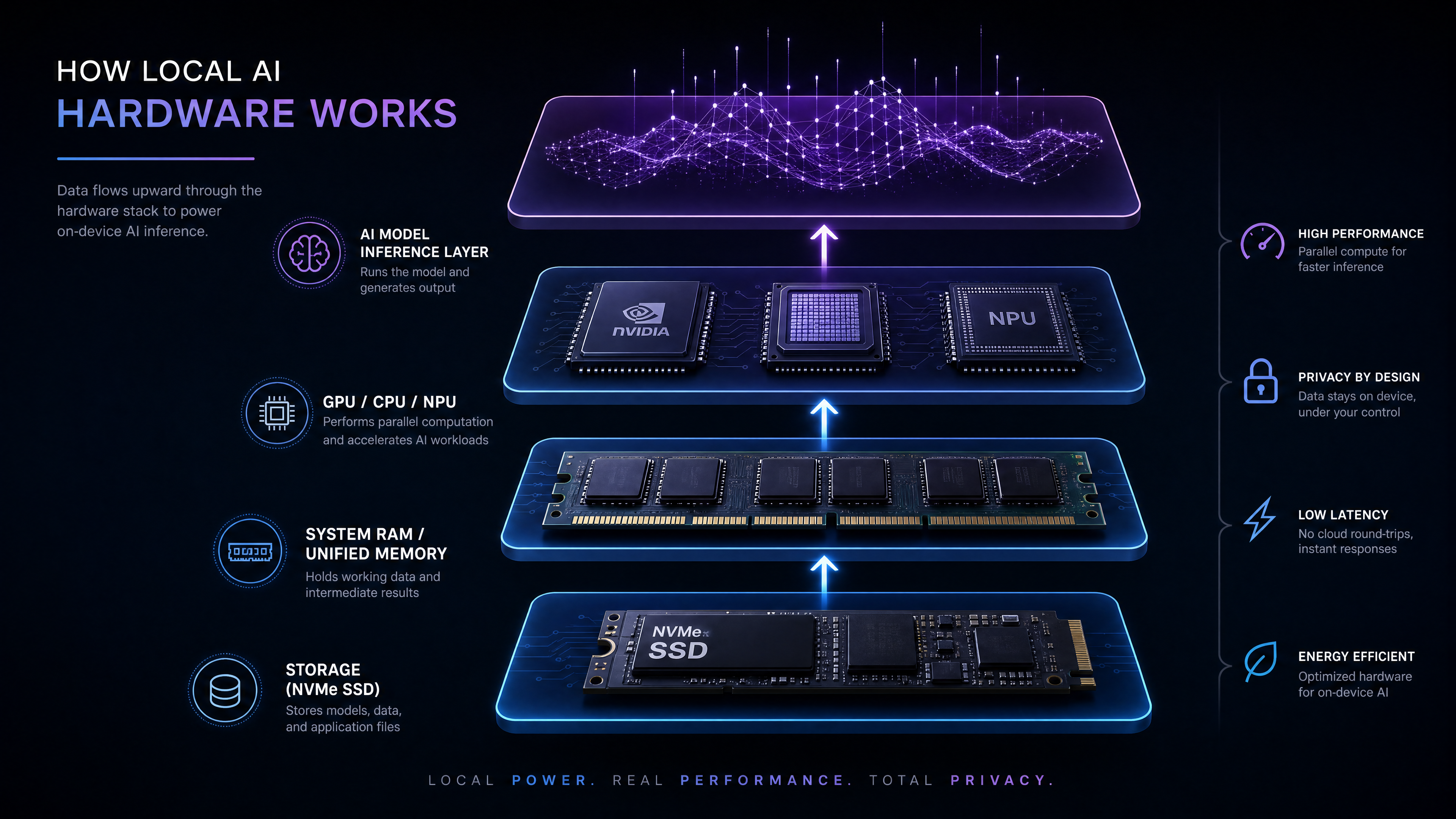
Memory capacity determines whether a model fits into memory at all. Memory bandwidth determines how efficiently that model can be processed once it's loaded.
That's one reason unified memory platforms with exceptionally high bandwidth have become increasingly attractive for local AI workloads. For users working with larger language models, retrieval-augmented generation (RAG), or multimodal AI applications, memory architecture is often more important than just raw CPU frequency.
Where BOSGAME Mini PCs Fit
Every user has different priorities, which is why there isn't a single "best" Mini PC for everyone. Instead, each platform is designed around a different balance of performance, efficiency, and upgradeability.
The VTI-490, powered by the Intel Core Ultra X7 358H with Intel Arc B390 integrated graphics, is built for users who value responsiveness, efficient multitasking, AI-assisted productivity features, and multi-display office setups. It's an excellent fit for everyday work without unnecessary power consumption.
The VTA-439 features the AMD Ryzen AI 9 HX 470 processor and dual DDR5 SO-DIMM slots supporting up to 256 GB of memory. Its combination of strong CPU performance, upgradeable memory, and capable Radeon 890M graphics makes it a versatile choice for creators, developers, and users who occasionally game.
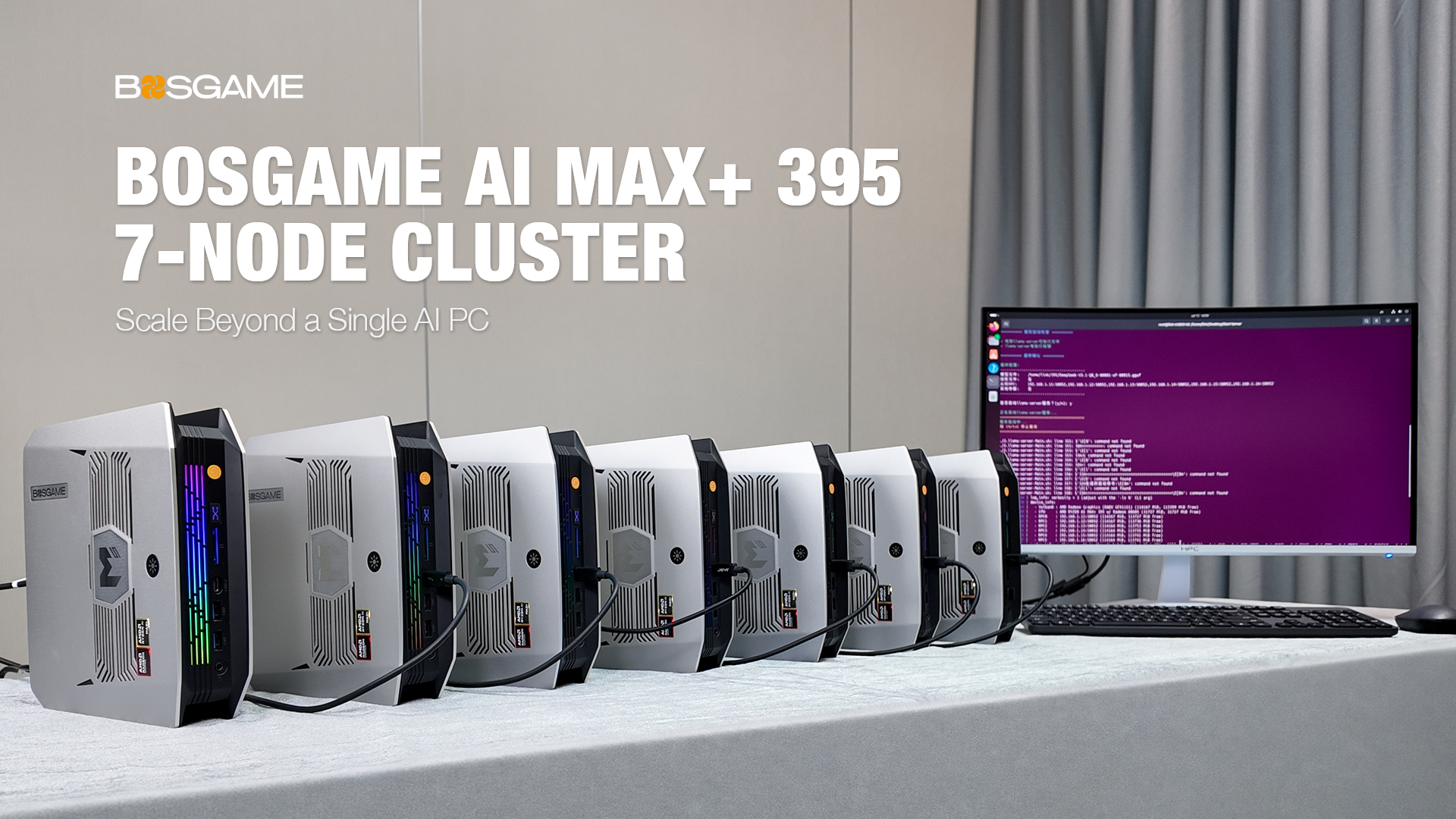
The M5, powered by the AMD Ryzen AI Max+ 395, takes a different approach. Its high-bandwidth LPDDR5X-8000 unified memory architecture, Radeon 8060S integrated graphics, and 50 TOPS NPU make it particularly well suited for local AI inference, graphics-intensive workloads, and applications that benefit from exceptionally fast shared memory.
Rather than thinking of these systems as "good, better, best," it's more useful to think of them as being optimized for different types of work.
The One Metric Worth Remembering
If you take away just one idea from this guide, let it be this:
Mini PC performance is never defined by a single specification.
A faster processor won't reach its full potential if cooling can't sustain it. More memory won't solve every problem if bandwidth is limited. A powerful integrated GPU still depends on the speed of the memory feeding it.
In many ways, a Mini PC is only as strong as its weakest link.
Instead of asking, "Which processor is faster?" ask a different question:
"What's most likely to limit the work I actually do?"
Once you identify that bottleneck—whether it's sustained CPU performance, memory bandwidth, graphics capability, cooling, or memory capacity—the rest of the specification sheet becomes much easier to interpret.
This article is the foundation of our Mini PC Performance Explained series. If you'd like to explore any of these topics in more detail, continue with our in-depth guides on memory bandwidth, DDR5 vs. LPDDR5X, shared memory, thermal throttling, benchmarking, and how to read Mini PC specifications with confidence.
FAQs
Q1: Why do same-CPU Mini PCs perform differently?
TDP, cooling, and memory configs vary. Sustained performance can differ by 15–25%—ignore peak clocks; check 10-minute benchmark runs.
Q2: Is more RAM always better?
No—dual channel matters more than size. Single-channel cuts iGPU performance 30–50%. 16GB dual for office, 32GB+ for 4K video or AI.
Q3: Can a Mini PC replace a gaming desktop?
For 1080p medium, yes—but RTX 4060 desktops deliver 2–3× higher FPS. Mini PC idles at 8–12W vs 60–80W for a desktop.
Q4: Do Mini PCs throttle from heat?
Yes, at 85–95°C, frequency can drop 15–25% in 60 seconds on basic designs. Dust adds 15–20°C; clean regularly and look for sustained performance reviews.
Q5: What's special about the BOSGAME M5?
~256 GB/s memory bandwidth (5× typical LPDDR5), Ryzen AI Max+ 395, for local LLMs and heavy creative work. For office/light gaming, the VTA 439 or VTI 490 offer better value.

Leave a comment
All comments are moderated before being published.
This site is protected by hCaptcha and the hCaptcha Privacy Policy and Terms of Service apply.