
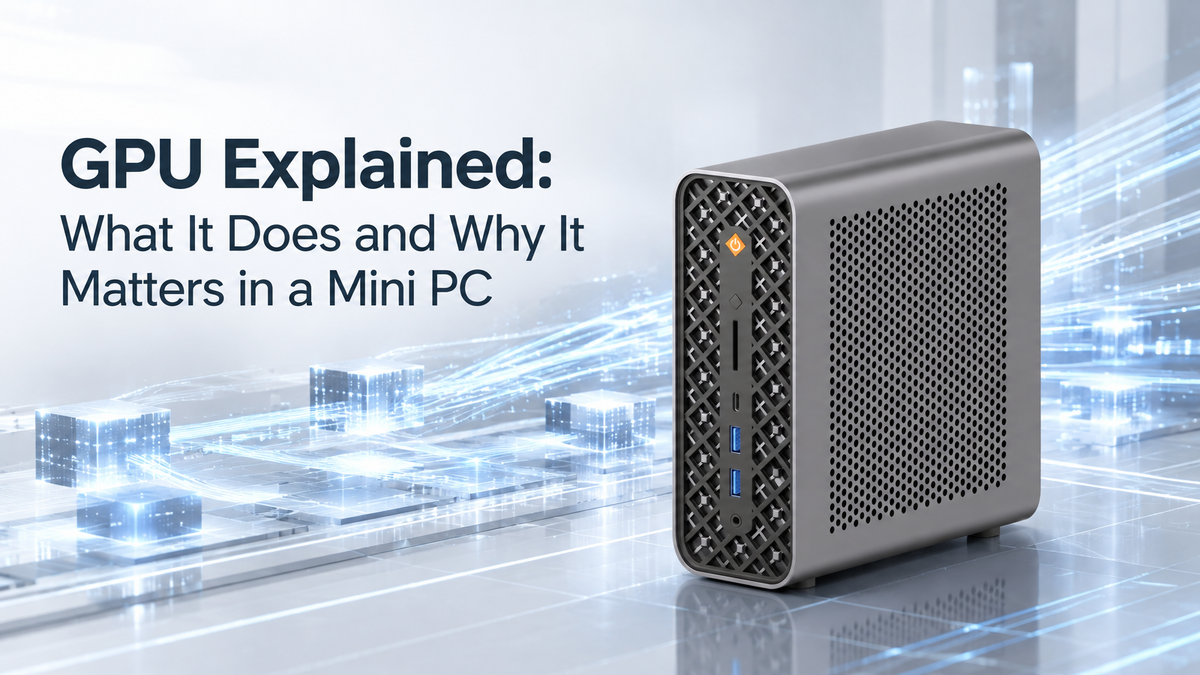
When people think about GPUs, gaming is often the first thing that comes to mind. However, modern GPUs are no longer limited to rendering game graphics. They now play an important role in video editing, 3D design, creative applications, technical workloads, and AI-related computing.
For Mini PCs, GPU capability becomes even more interesting. In a compact system where space, power consumption, and cooling are limited, the GPU needs to provide useful performance while maintaining efficiency and stability.
Understanding how GPUs work and what affects their performance can help you choose a Mini PC that better matches your workload.
How Does a GPU Work in a Mini PC?
A GPU is designed differently from a CPU. While a CPU focuses on handling a wide variety of general tasks, a GPU is built to process many similar operations simultaneously.
This parallel processing ability allows GPUs to handle workloads that involve large amounts of repeated calculations more efficiently. Instead of processing tasks one by one, a GPU can divide workloads across many smaller processing units and complete multiple operations at the same time.
This design makes GPUs especially valuable for workloads such as graphics rendering, image processing, video acceleration, and other applications that can take advantage of GPU computing.
More Than Gaming: What Can a GPU Be Used For?
Gaming remains one of the most recognized GPU applications. Rendering complex scenes, processing visual effects, and generating detailed graphics all require significant computing power.
However, GPUs are also widely used outside gaming. Content creators can benefit from GPU acceleration when editing videos, working with visual effects, processing images, or creating 3D content.
For professionals, GPU performance can also improve certain technical and compute-heavy applications. The important point is that GPU benefits depend on whether the software and workload are designed to use GPU acceleration.
Which Factors Affect GPU Performance?
GPU performance depends on more than just the GPU name or model.
The GPU architecture determines how efficiently the hardware handles different types of workloads. The number of Compute Units also affects available processing resources, while clock speed influences how quickly those resources operate.
However, higher clock speed alone does not always guarantee better performance. Power limits, cooling capability, architecture efficiency, and system optimization all affect real-world results.
Memory is another important factor. Memory capacity determines how much data the GPU can process at once, while memory bandwidth affects how quickly data can move between memory and the GPU.
As discussed in our Unified Memory guide, faster data movement can improve efficiency in workloads that require frequent access to large amounts of information.
Why GPU Design Matters More in Compact Computers
A Mini PC has much less internal space compared with a traditional desktop. This creates additional challenges for maintaining performance while controlling heat and power consumption.
A well-designed Mini PC needs to balance GPU capability with thermal management. A powerful GPU that cannot maintain stable performance due to cooling limitations may not provide the experience users expect.
This balance between performance and efficiency is one of the key challenges in building high-performance Mini PCs.
The Role of GPUs in AI Workloads
GPUs have also become important in modern AI applications, especially workloads that require significant parallel computing power.
However, AI performance is not determined by one processor alone. GPUs, CPUs, and NPUs each have different strengths.
A GPU can accelerate certain AI workloads that benefit from parallel processing, while an NPU focuses on efficient AI inference tasks with supported software. Together, these processing units allow modern AI PCs to handle different workloads more effectively.
Building a Complete Mini PC System
A GPU does not work independently. Its actual performance depends on the entire system, including the processor, memory configuration, power delivery, cooling solution, and software support.
The same GPU hardware can deliver different results depending on how well the system manages power and temperature.
For Mini PCs, this system-level balance is especially important because every component must work efficiently within a limited physical space.
GPU Performance in BOSGAME Mini PCs
BOSGAME focuses on creating compact systems that balance performance and efficiency.
The BOSGAME M5 MAX features the AMD Ryzen AI Max+ PRO 495 processor with AMD Radeon 8065S Graphics, providing strong graphics capability for creative applications, compute-intensive workloads, and advanced professional tasks.
By combining powerful processing capability with a compact design, the M5 MAX demonstrates how modern Mini PCs can deliver desktop-level performance in a smaller form factor.
Conclusion
A GPU is no longer only a component for gaming. Its real value comes from how effectively it supports the workloads you actually use.
For Mini PCs, choosing the right GPU is not simply about selecting the highest performance specification. It is about finding the right balance between graphics capability, system design, power efficiency, and thermal stability.
The best GPU for a Mini PC is the one that delivers the performance your workload needs while fitting the limits of a compact system.

Leave a comment
All comments are moderated before being published.
This site is protected by hCaptcha and the hCaptcha Privacy Policy and Terms of Service apply.